


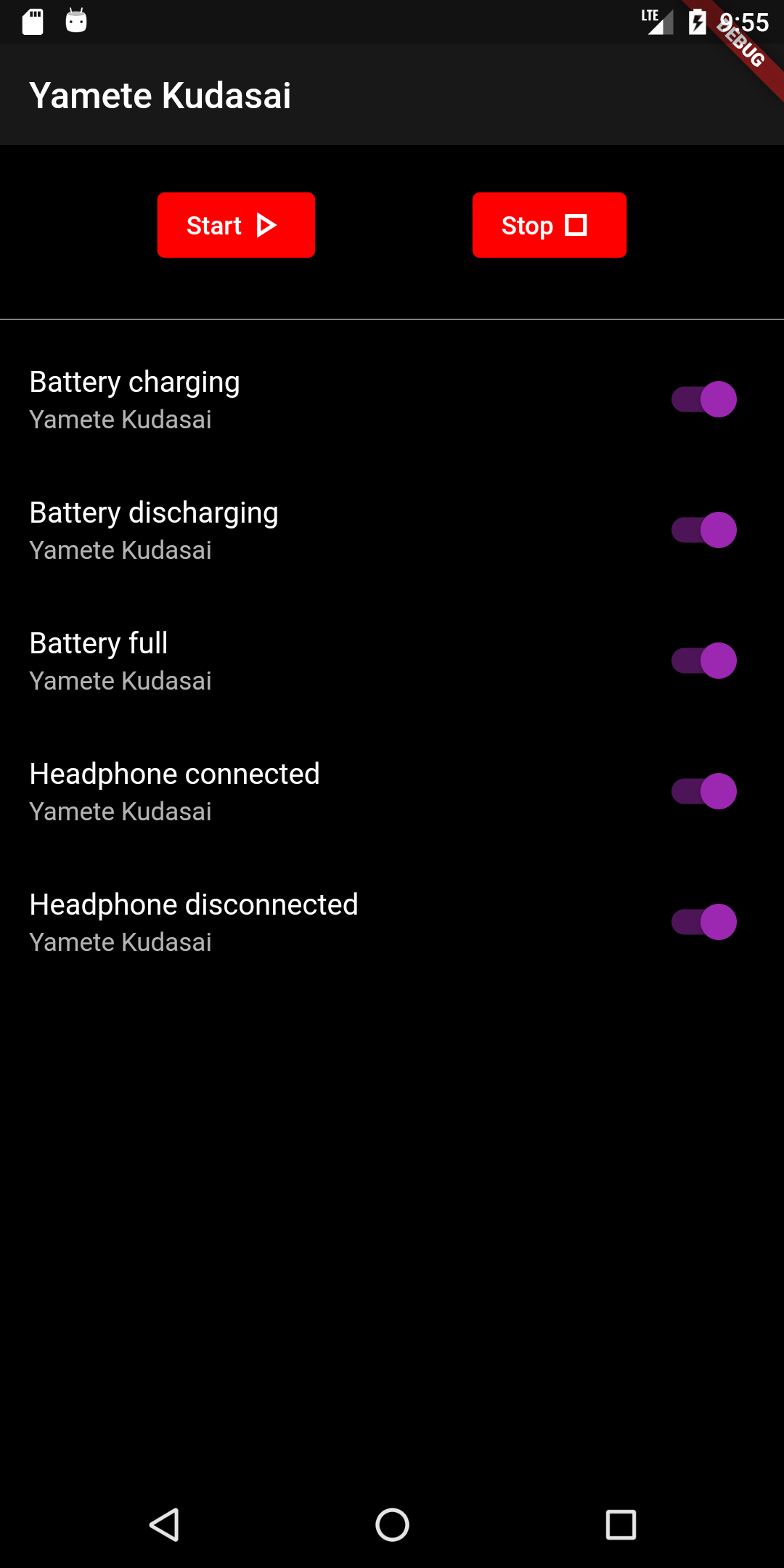
 When you enter the app, just click start and whenever an event happens one of the precisely chosen sounds gets played.
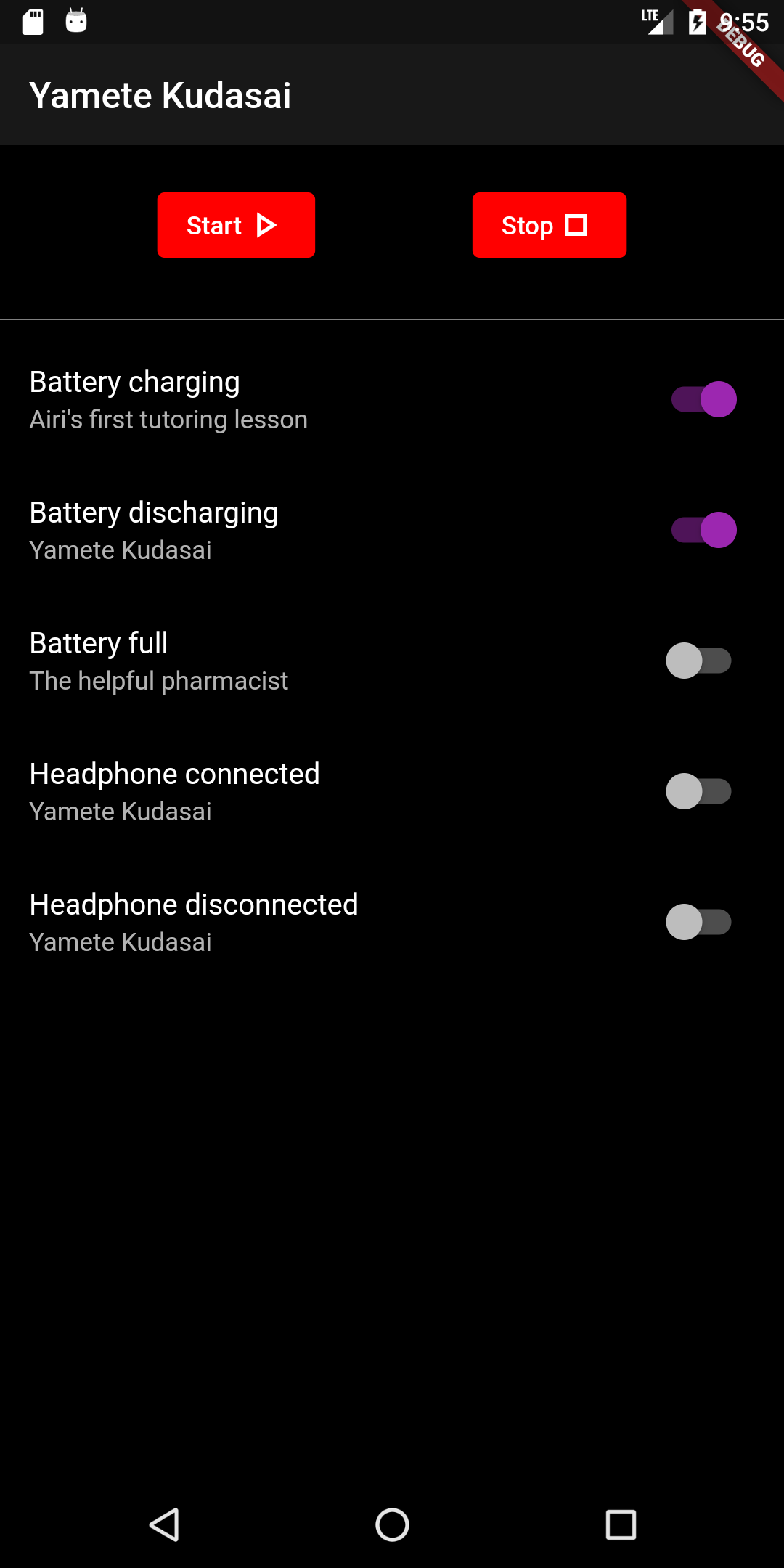
If you want to turn off the sound playing for a specific event, just toggle off the button behind it.
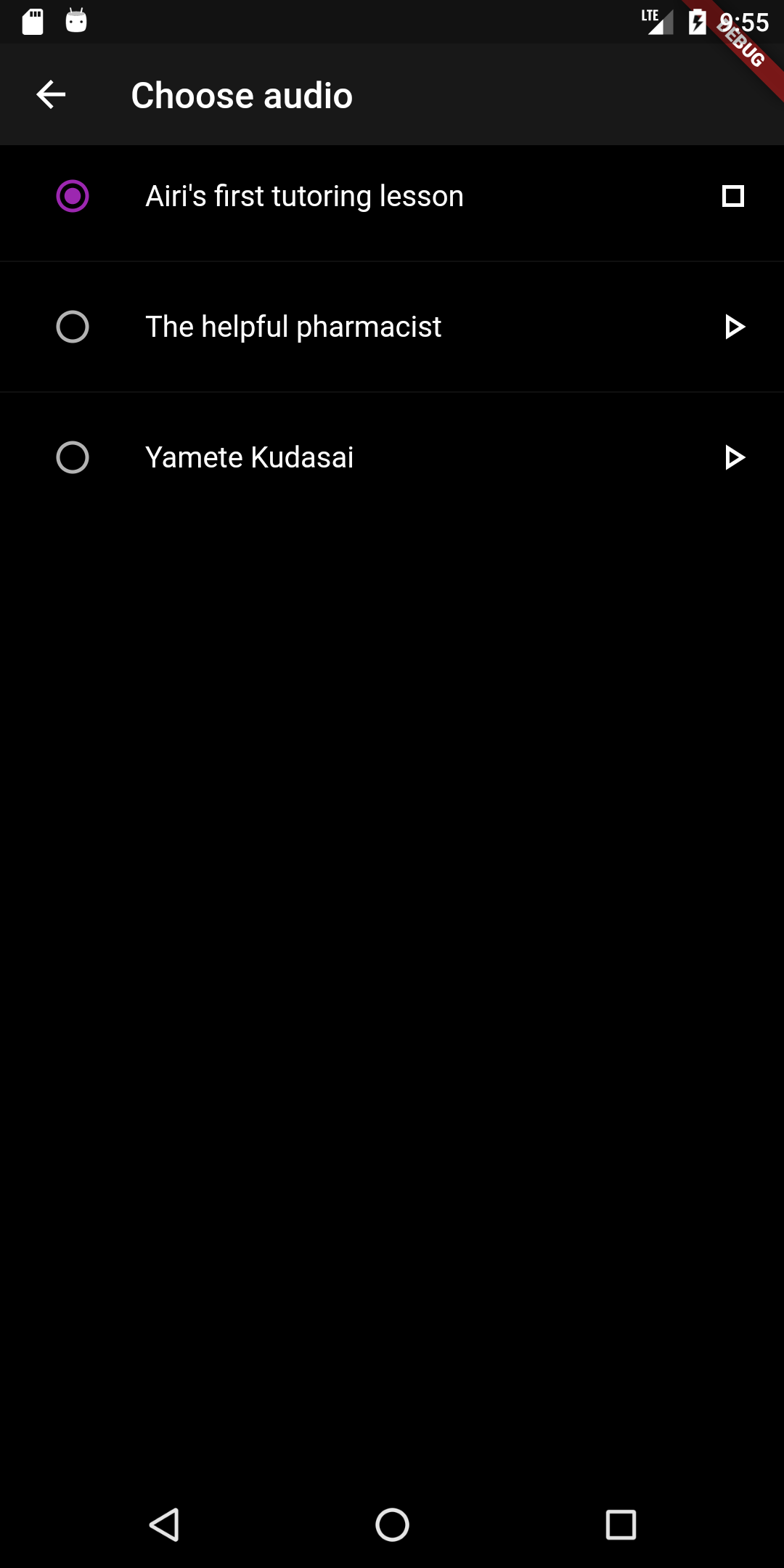
For playing other sounds than the standard "Yamete Kudasai", click on the entry for the event you want to change
and a new window pops up where you can set the sound which should be played on the event.
Supported events:
- **Battery**
- Battery charging (cable plugged in)
- Battery discharging (cable plugged out)
- Battery full
- **Headphone**
- Headphone connected
- Headphone disconnected
## License
This project is licensed under the Do What The F*ck You Want To Public License (WTFPL) - see the [LICENSE](LICENSE) file for more details.
All rights for the audio and image files in [/assets/audio](assets/audio), [assets/icon](assets/icon) and [android/app/src/main/res](android/app/src/main/res) are reserved to their artist and copyright holders.
When you enter the app, just click start and whenever an event happens one of the precisely chosen sounds gets played.
If you want to turn off the sound playing for a specific event, just toggle off the button behind it.
For playing other sounds than the standard "Yamete Kudasai", click on the entry for the event you want to change
and a new window pops up where you can set the sound which should be played on the event.
Supported events:
- **Battery**
- Battery charging (cable plugged in)
- Battery discharging (cable plugged out)
- Battery full
- **Headphone**
- Headphone connected
- Headphone disconnected
## License
This project is licensed under the Do What The F*ck You Want To Public License (WTFPL) - see the [LICENSE](LICENSE) file for more details.
All rights for the audio and image files in [/assets/audio](assets/audio), [assets/icon](assets/icon) and [android/app/src/main/res](android/app/src/main/res) are reserved to their artist and copyright holders.